
The Stagnation of the Linux Desktop Inbox
For the better part of a decade, the Linux desktop ecosystem has been trapped in a frustrating paradox when it comes to email clients. Power users, developers, and enterprise IT professionals have been forced to choose between legacy monolithic applications that consume vast amounts of system resources, or lightweight alternatives that lack modern features, stability, and security compliance. Mozilla Thunderbird, while undeniably powerful and feature-rich, has historically carried the weight of a heavy, aging codebase. Even as its recent “Supernova” UI rewrite attempts to modernize the experience, it remains a resource-heavy application. On the other end of the spectrum, terminal-based clients like Mutt or Neomutt offer unparalleled speed but present a vertical learning curve that alienates modern visual workflows.
In the middle ground sits GNOME’s Geary, which has long been the darling of minimalists. It is lightweight, simple, and offers a clean graphical user interface. However, as veteran technology analyst Jack Wallen recently noted in ZDNET, Geary is plagued by persistent window management bugs [2]. When deployed alongside tiling window managers, Geary’s interface often breaks down, consuming the entire application window upon clicking an email and obscuring the sidebar [2]. Furthermore, on popular distributions like Pop!_OS, the application frequently fails to launch properly from the GUI, requiring manual terminal execution [2]. These are not mere annoyances; in a high-stakes enterprise environment, UI friction translates directly to lost productivity.
Enter Aerion. Quietly emerging from the open-source community, Aerion has rapidly positioned itself as the premier cross-platform email client for Linux, macOS, and Windows [2]. It is designed from the ground up to be Linux-first, privacy-focused, and ruthlessly efficient [2][3]. But what truly separates Aerion from the crowded graveyard of failed open-source email clients is its underlying architecture. By rejecting the industry-standard Electron framework in favor of a modern, compiled backend, Aerion is fundamentally rewriting the rules of desktop application performance.
The Architectural Reality: Escaping the Electron Trap
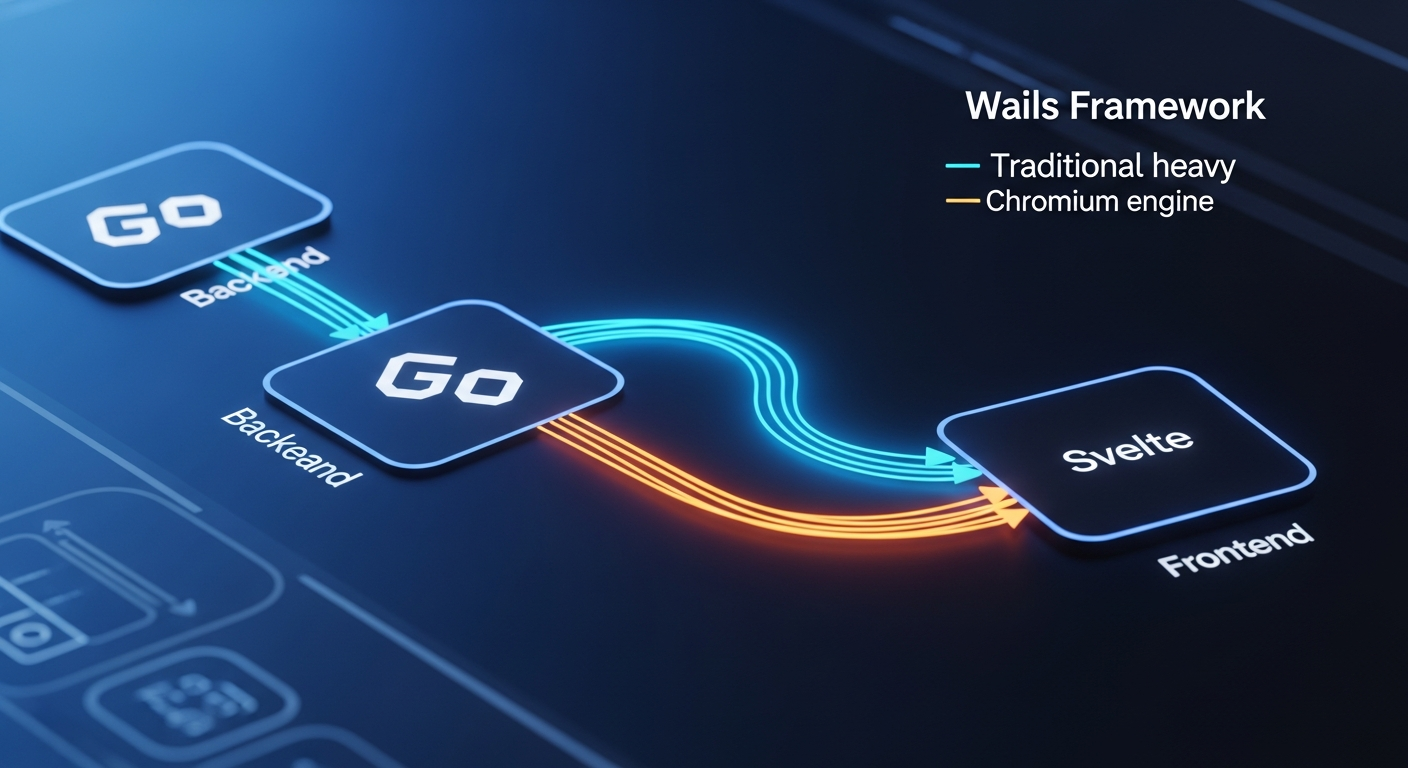
To understand why Aerion is a breakthrough, one must first understand the architectural plague of modern desktop software: Electron. For years, developers have relied on the Electron framework to build cross-platform applications (such as Slack, Discord, and Mailspring). Electron works by bundling a full instance of the Chromium web browser and a Node.js runtime into every single application. While this allows developers to write code once using web technologies (HTML, CSS, JavaScript) and deploy it anywhere, the cost to the end-user is catastrophic. A simple Electron-based email client can easily consume upwards of 500MB of RAM just sitting idle, draining laptop batteries and monopolizing CPU cycles.
Aerion takes a radically different, highly engineered approach. It is built using the Wails framework, paired with a Svelte frontend [3][6]. Wails is a modern Go-based framework that allows developers to build desktop applications using web technologies, but with a critical distinction: it does not bundle a browser [3]. Instead, Wails leverages the native webview of the host operating system—WebKitGTK on Linux, WebView2 on Windows, and WKWebView on macOS. The backend logic is written in Go, a highly performant, compiled language known for its concurrency and low memory footprint.
The choice of Svelte for the frontend is equally deliberate. Unlike React or Vue, which rely on a resource-heavy virtual DOM to render UI updates in the browser, Svelte is a compiler. It translates the UI components into highly optimized, zero-dependency vanilla JavaScript at build time. When you combine the compiled Go backend of Wails with the compiled frontend of Svelte, the result is an application that achieves near-instantaneous launch times and a memory footprint that is a fraction of its Electron-based competitors [3]. The application feels native, responsive, and deeply integrated into the host OS.
For Linux users, Aerion is distributed primarily via Flathub (io.github.hkdb.Aerion) [2][8]. This Flatpak distribution model ensures sandboxed execution, meaning the application runs in an isolated environment with bundled dependencies. This prevents conflicts with the host system’s libraries and ensures consistent, crash-free behavior across highly fragmented Linux distributions like Fedora, Ubuntu, and Arch Linux [9].
Enterprise-Grade Security: The CASA Tier 2 Mandate
In the modern enterprise landscape, an email client is not just a communication tool; it is a critical attack vector. Email clients handle highly sensitive OAuth flow tokens, IMAP credentials, and proprietary corporate data. Recognizing this, the developers behind Aerion have prioritized security at a level rarely seen in indie open-source projects.
Aerion holds a CASA (Cloud Application Security Assessment) Tier 2 certification [5][6]. This is not a self-awarded badge; it is a rigorous security standard established by the App Defense Alliance, a coalition that includes Google. The Tier 2 assessment for Aerion was conducted by TAC Security, a Google-authorized independent assessor [6]. To achieve this certification, Aerion’s codebase was scanned and verified against the OWASP ASVS (Application Security Verification Standard) [6]. This guarantees that the application employs robust cryptographic practices, secure session management, and safe data storage mechanisms. For enterprise IT administrators and CTOs, this certification transforms Aerion from a “hobbyist Linux app” into a viable, compliant tool for corporate deployment.
Furthermore, Aerion is inherently privacy-focused. It operates via direct IMAP/SMTP connections to email providers, ensuring that no intermediary servers process your data [3]. The application includes built-in tracking element removal, automatically stripping out the invisible tracking pixels that marketers and malicious actors use to monitor when, where, and on what device an email is opened [2][3]. Remote image loading is disabled by default, further protecting users from IP logging and surveillance [6]. The application also features experimental support for PGP and S/MIME, catering to users who require end-to-end encrypted communications for sensitive corporate data [4].
Market Impact & Deployment: The 3DF Connection

The history of open-source software is littered with promising projects that died due to a lack of funding and maintainer burnout. Aerion mitigates this risk through a unique corporate sponsorship model. The project is heavily sponsored by 3DF Limited, a Hong Kong-based IT consultancy that brands itself as “Asia’s leading technical operations partner” [2][15].
3DF Limited specializes in IT operations, DevOps, blockchain solutions, and Industry 4.0 consulting [15]. As part of their corporate social responsibility and developer outreach, they established the 3DF Open Source Initiative (OSI) [16]. This initiative funds the infrastructure and human resource costs associated with Aerion’s development [6][16]. By backing Aerion, 3DF is not only contributing a highly polished tool to the global Linux community but also demonstrating their technical prowess in Go, Svelte, and secure application architecture to potential enterprise clients.
This backing provides a layer of stability that enterprise users look for. While the source code is fully transparent and available on GitHub [2][8], the financial backing of an established IT consultancy ensures that bug fixes, security patches, and feature updates are delivered with professional cadence. It is a symbiotic relationship: the community gets a Tier-1 email client for free, and 3DF builds immense goodwill and brand recognition among global IT professionals. In a market where competitors like Mailspring require paid subscriptions for basic features like read receipts, Aerion’s fully free, corporate-backed model is highly disruptive.
The Consumer Translation: Workflow and UX
While the underlying engineering and security certifications are impressive, an email client ultimately lives or dies by its user experience. Aerion excels by embracing minimalism without sacrificing utility. The graphical user interface is clean, modern, and immediately intuitive, featuring a standard three-pane layout: an account pane on the left, an email list in the middle, and a viewing pane on the right [2].
Aerion supports a vast array of email providers out of the box, including Gmail, Microsoft 365/Outlook, Yahoo Mail, iCloud Mail, Fastmail, Zoho Mail, and generic IMAP/POP configurations [2][4]. It also seamlessly integrates with ProtonMail via the Proton Bridge, making it an excellent choice for privacy-conscious consumers who want to break free from web-based inboxes [2][6].
One of the standout features for productivity enthusiasts is “Focus Mode.” By clicking a simple toggle, the interface strips away the account sidebar and the email list, leaving only the currently viewed email on the screen [2]. This distraction-free environment is invaluable for reading long-form reports or drafting critical correspondence without the anxiety of watching new emails populate in the periphery.
Composing emails in Aerion is handled by a WYSIWYG (What You See Is What You Get) editor powered by TipTap [4][6]. This allows for rich-text formatting, inline images, and complex signatures without the clunkiness often associated with open-source text editors. The composer can also be detached into a separate window, allowing users to reference other emails while drafting a reply [2][4]. For power users, Aerion includes Vim-style keyboard shortcuts, enabling full navigation of the inbox without ever touching the mouse [4][5]. Contact synchronization is handled flawlessly via CardDAV, Google, and Microsoft integrations, ensuring that auto-complete functions work exactly as expected [4][6].
Red Team Audit: Pre-Release Bottlenecks
Despite its immense promise, Aerion is still officially in pre-release, and a rigorous Red Team audit reveals several rough edges that early adopters must navigate. While Jack Wallen’s ZDNET review was overwhelmingly positive, independent testing by Linux communities has highlighted a few workflow bottlenecks that require engineering attention.
First, desktop notifications are currently inconsistent. Depending on the Linux desktop environment (such as GNOME or KDE Plasma), users may find that Aerion fails to trigger system-level notifications for incoming mail [5][6]. For users who rely on real-time alerts to manage their workflow, this is a significant drawback that forces manual checking of the inbox.
Second, the application’s configuration settings can be unintuitive. For example, the ability to configure email sync intervals is not located in the general settings menu. Instead, users must navigate to the Accounts tab, click a specific pencil icon, enter the “Server” category, and locate the hidden “Sync Options” [6]. This lack of discoverability can frustrate users accustomed to the centralized settings menus of Thunderbird or Outlook.
Finally, the initial OAuth setup flow, particularly for Gmail, has a fragile user interface. If a user accidentally clicks outside the “Add Email Account” dialog box during the browser-based authentication process, the window immediately closes without warning, discarding all progress [6]. While these are relatively minor UI/UX bugs typical of pre-release software, they represent friction points that the 3DF development team must iron out before an official 1.0 release.
TechNode HQ Verdict: Pros, Cons & Usability
- Pro (Engineering): Built on the Wails and Svelte frameworks, Aerion bypasses Electron entirely, resulting in a drastically lower memory footprint and near-instantaneous execution.
- Pro (Consumer): Features like Focus Mode, Vim-style keyboard shortcuts, and built-in tracking pixel removal offer a superior, distraction-free daily workflow.
- Con: As pre-release software, it suffers from inconsistent desktop notifications across different Linux desktop environments.
- Con: The UI for account setup and sync interval configuration is currently fragile and unintuitive, requiring a learning curve for basic setup.
Enterprise Usability: CTOs and IT administrators should strongly consider Aerion for Linux workstation deployments. Its CASA Tier 2 certification, OWASP ASVS compliance, and Flatpak sandboxing make it one of the most secure open-source email clients available today. The backing of 3DF Limited provides necessary project stability.
Everyday Usability: For the public, especially Linux users frustrated by Geary’s bugs or Thunderbird’s bloat, Aerion is an immediate buy (or rather, an immediate download). Despite minor pre-release bugs, its speed, privacy features, and clean UI make it the best modern desktop email client currently on the market.