Key takeaways
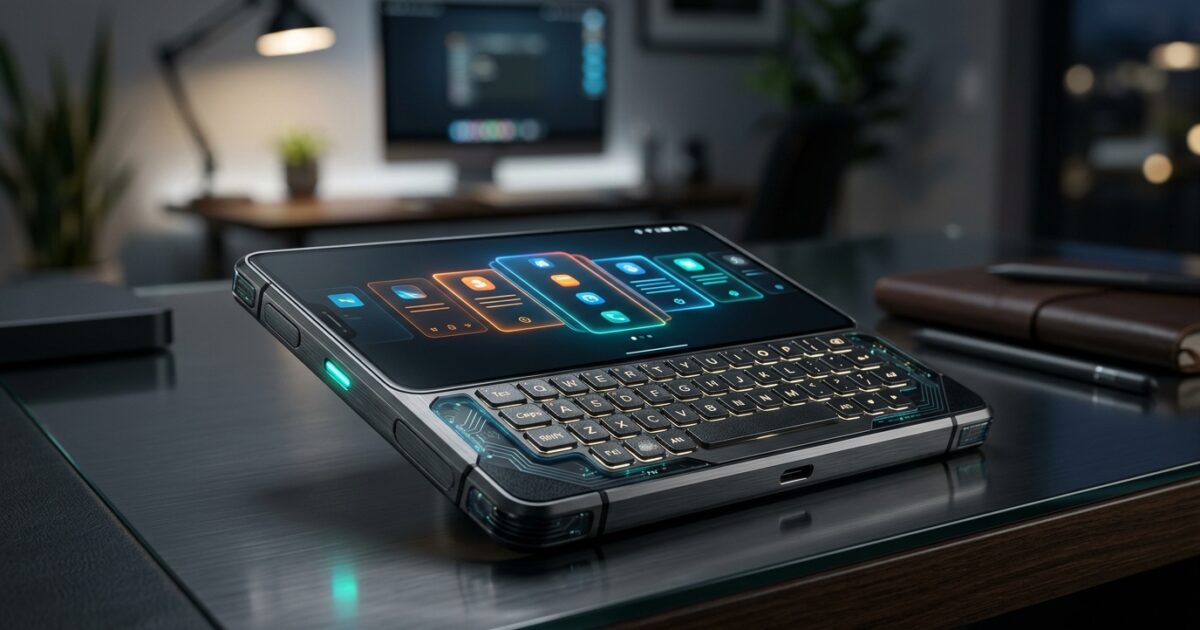
- The Clicks Communicator phone features a 4.03-inch AMOLED display with a tactile, trackpad-enabled keyboard.
- Powered by a 4,000 mAh silicon-carbon battery, it supports Qi2 and USB-C wireless charging.
- A 50MP OIS camera and 2TB microSD expansion target productivity and media creation.
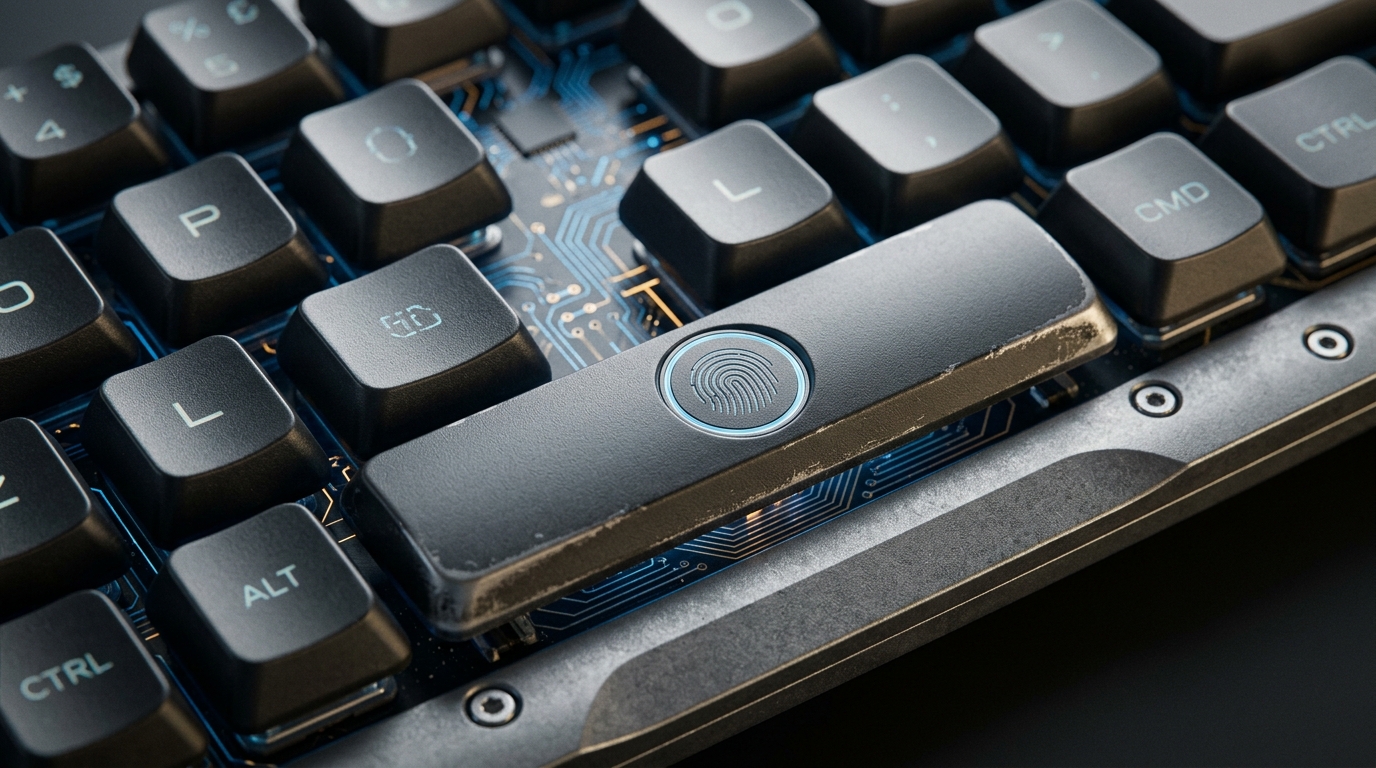
- A fingerprint sensor is seamlessly integrated directly into the physical spacebar.
- Shipping in Q4 2026 for $499, this Android device revives the classic BlackBerry form factor.
In an era completely dominated by monolithic glass slabs and frictionless virtual interfaces, the tech industry has paradoxically grown numb to genuine tactile feedback. Enter the Clicks Communicator phone—a defiant, meticulously engineered reimagining of the modern smartphone. Priced at a highly disruptive $499 and scheduled to ship in the fourth quarter of 2026, this device is not merely a nostalgic nod to the BlackBerry era; it is a profound architectural pivot. By marrying contemporary internal specifications with a purpose-built physical keyboard, the Clicks Communicator phone answers a growing demand for intentionality, physical productivity, and uncompromised typing speed in our daily digital interactions.
As witnessed in the recently released demonstration videos, the working prototype is a revelation. Unlike the static dummy units displayed at CES in January 2026, the live hardware proves that Clicks—a company initially celebrated for its iPhone keyboard cases—has officially evolved into a full-fledged hardware manufacturer. Designed with the explicit input of a former Research in Motion designer, this handset leverages a custom Android foundation layered intimately with the Niagara Launcher. For power users, the return of double-thumb typing represents more than a retro aesthetic; it is a calculated leap forward in mobile productivity, effectively merging the robust application ecosystem of modern Android with the error-free, rapid-fire text entry reminiscent of the classic BlackBerry Classic and Palm Treo.
The Architectural Reality of the Clicks Communicator phone
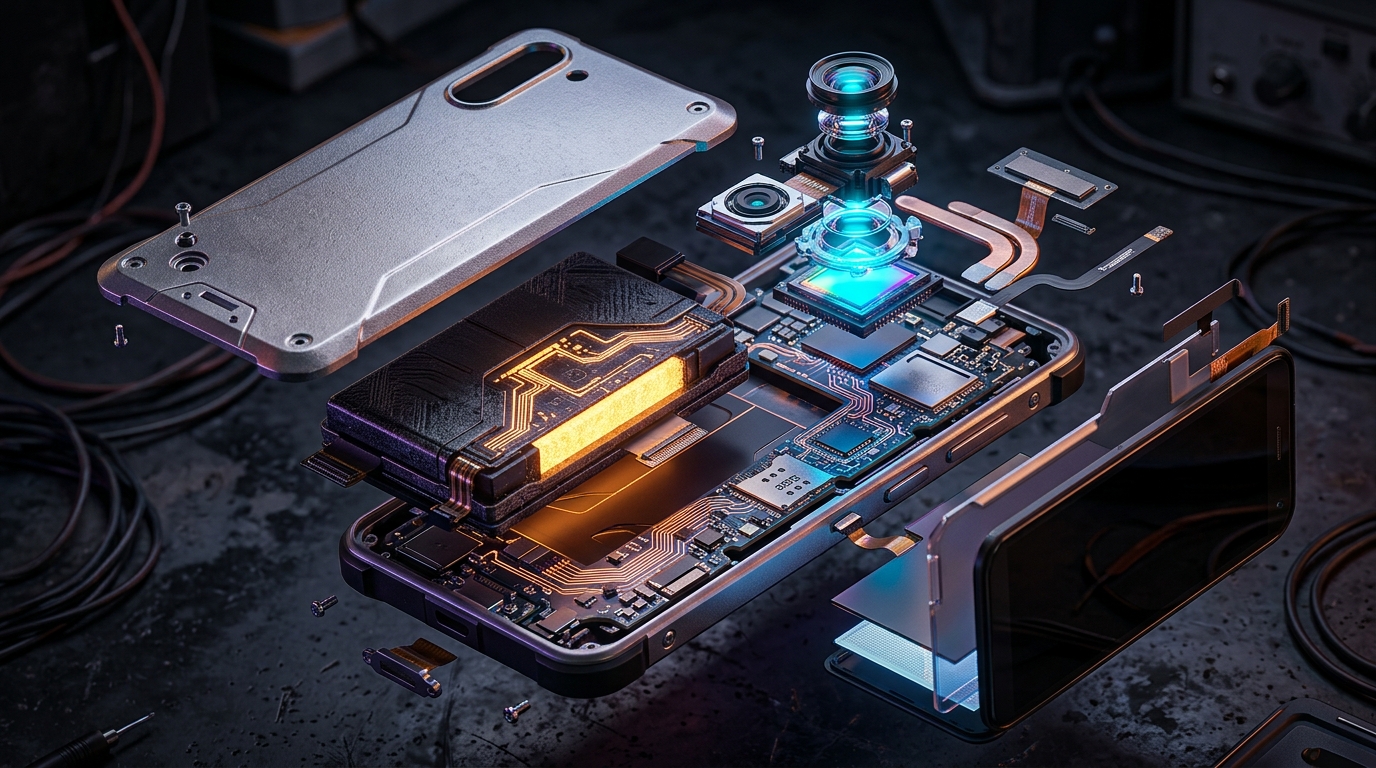
When evaluating the advanced silicon architecture and internal hardware layout of the Clicks Communicator, it becomes immediately apparent that this is a premium, purpose-built machine rather than a retrofitted gimmick. The engineering team has executed a masterclass in component density. The device centers around a surprisingly compact 4.03-inch AMOLED display boasting a sharp 1080×1200 resolution. This unusual near-square aspect ratio is a deliberate, calculated design choice, allowing the physical keyboard to occupy the lower quadrant of the chassis without making the device top-heavy or unwieldy. The display itself is vibrant and specifically tuned for text legibility and high-contrast productivity applications, purposefully breaking away from the cinematic, media-consumption-first aspect ratios of standard modern flagships.
Beneath the display lies the crown jewel of the device: a highly sophisticated, touch-sensitive physical keyboard that utterly redefines tactile navigation. The physical keys on the Communicator are precision-engineered to be 30% larger than those found on the standard Clicks iPhone keyboard cases, drastically reducing typographical errors and facilitating an incredibly comfortable double-thumb typing experience. But the innovation does not stop at actuation. The entire keyboard surface inherently doubles as a capacitive trackpad, allowing users to scroll through lengthy web pages, massive documents, and the Niagara Launcher’s signature ribbon-style app list without ever obscuring the 4.03-inch screen with their fingers. This means the device’s interface and navigation can be managed entirely through the physical keyboard—a paradigm shift that fundamentally reclaims valuable screen real estate. Furthermore, biometrics are handled securely and swiftly via a fingerprint sensor integrated directly into the keyboard’s spacebar, a seamless integration that underscores the device’s thoughtful industrial design.
Powering this unique hardware is a groundbreaking 4,000 mAh silicon-carbon battery. For a device equipped with a smaller 4.03-inch screen, a 4,000 mAh capacity is massive and frankly unprecedented. Silicon-carbon technology allows for significantly higher energy density within a much smaller physical footprint compared to traditional graphite-anode lithium-ion cells. Consequently, the Communicator is positioned to effortlessly endure two full days of heavy messaging, emailing, and cellular calls. Charging options are equally modern and robust, featuring both standard high-speed USB-C charging and native support for the Qi2 wireless charging standard, seamlessly facilitated by an integrated magnetic accessory array hidden beneath the swappable backplate.
The optical array is also surprisingly robust for a device explicitly marketed as a productivity-first tool. It features a formidable 50MP main camera equipped with Optical Image Stabilization (OIS) for crisp document scanning, QR code reading, and reliable low-light photography, cleanly complemented by a 24MP front-facing camera optimized for high-definition video conferencing. In a move that will delight hardware purists, Clicks has also included legacy features that modern users have long begged for: a dedicated 3.5mm headphone jack for zero-latency audio and a customizable LED button on the side—dubbed the “Signal Light”—to visually alert users to specific notifications without requiring them to wake the display. Finally, the aforementioned swappable back cover design grants remarkably quick access to a physical SIM tray (which simultaneously supports modern eSIM profiles) and a microSD slot offering expandable storage up to a staggering 2TB.
Market Impact & Deployment
For Chief Information Officers, IT managers, and logistics directors overseeing massive enterprise deployment strategies, the Clicks Communicator presents a fascinating Total Cost of Ownership (TCO) equation. At just $499, the device severely undercuts the $1,000 to $1,500 price tags of conventional flagship smartphones while delivering arguably far higher utility for corporate communication. The physical keyboard drastically reduces the time required to draft long emails, edit complex supply chain documents, and communicate rapidly via Slack or Microsoft Teams while navigating transit systems. When aggregated across an enterprise fleet of hundreds of employees, the drastic reduction in typographical errors and the measurable increase in words-per-minute can translate directly into thousands of recovered man-hours annually.
Moreover, the device is explicitly designed and aggressively positioned as a direct remedy for the constant, algorithmically driven attention our standard smartphones incessantly demand. By intentionally separating the input method (the tactile keyboard) from the consumption output (the display), the user is mechanically less likely to be sucked into the endless, time-wasting scroll of social media feeds. This intentional friction regarding passive media consumption, intelligently paired with completely frictionless outbound messaging, creates a corporate device that keeps employees deeply connected to their essential work without the associated digital fatigue and burnout of modern mobile operating systems. The bespoke software—based on the highly acclaimed Niagara Launcher—further prioritizes messaging and productivity by utilizing a clean, alphabetical ribbon-style app list that effortlessly eliminates the clutter of traditional home screens.
The inclusion of up to 2TB of expandable microSD storage means that enterprise professionals working with remarkably large local datasets, edge AI models, or massive architectural media libraries do not need to rely exclusively on costly cloud storage subscriptions or painfully expensive higher-tier internal storage SKUs. This architectural decision drastically lowers the overall lifetime cost of maintaining the device. Furthermore, the swappable back plate not only securely houses the microSD and SIM slots but also opens the door for a robust, third-party ecosystem of enterprise-specific magnetic accessories. IT managers can easily envision barcode scanners, extended battery packs, or specialized environmental sensors attaching seamlessly via the Qi2 magnetic ring.
The Consumer Translation
While the enterprise implications are undoubtedly profound, the immediate impact on everyday consumer devices is equally, if not more, compelling. For the better part of the past decade, general consumers have been forcefully funneled into a singular, uncompromising form factor: the delicate, all-glass slab. The Clicks Communicator offers a genuine, highly functional alternative for those who desperately yearn for the tactile satisfaction and undeniable reliability of a physical click. The core demographic for this revolutionary phone extends far beyond nostalgic millennials who miss the robust feel of their BlackBerry Classics; it appeals powerfully to an entirely new generation of digital minimalists, journalists, and heavy text communicators who are simply exhausted by the omnipresent touchscreen keyboard and its relentless autocorrect failures.
To truly grasp the paradigm shift of the Clicks Communicator, one must consider a high-level executive abstraction: the difference between driving a modern vehicle using an iPad touch screen versus driving with physical, tactile dials. When a driver is forced to navigate three sub-menus on a flat piece of glass just to adjust the cabin temperature, their eyes dangerously leave the road, completely breaking the flow of driving. Conversely, physical dials inherently build muscle memory, allowing the driver to make highly precise adjustments without ever looking down. The Clicks Communicator applies this exact logistical philosophy to modern digital communication. By deliberately offloading navigation and text entry to a tactile, dedicated physical layer—complete with advanced trackpad capabilities—it frees the “windshield” (the 4.03-inch AMOLED display) strictly for consuming critical data, dramatically reducing cognitive load and error rates for the end user.
Imagine navigating a busy international airport or walking down a bustling, crowded street. Virtual keyboards require constant, draining visual verification to ensure you haven’t typed an embarrassing string of gibberish. A physical keyboard, complete with tactile home-row bumps, allows for rapid muscle-memory typing. As flawlessly demonstrated by Clicks co-founder Jeff Gadway in the recent preview video, you can draft a detailed WhatsApp message or fluidly navigate the UI without ever breaking your visual focus on the real world around you.
Red Team Audit: Analyzing the Bottlenecks
Despite the glowing, almost utopian promise of tactile productivity, a rigorous, objective red team audit reveals a few potential bottlenecks in the Clicks Communicator’s ambitious strategy. First and foremost, the 4.03-inch 1080×1200 AMOLED display, while undeniably excellent for text rendering, poses a severe challenge for unoptimized media consumption and native Android app scaling. Modern Android applications are heavily designed for standard 16:9 or 21:9 towering glass slabs; forcing them into a near-square aspect ratio may inevitably result in awkward letterboxing, truncated text, or entirely broken UI elements for unsupported applications.
Second, while the 50MP OIS camera sounds highly impressive on a standard specification sheet, Clicks is currently an unproven entity in the intensely competitive arena of computational photography—an arena absolutely dominated by Google and Apple’s massive, multi-billion-dollar AI processing pipelines. A high-megapixel sensor means practically nothing without the advanced ISP (Image Signal Processor) and deep software tuning required to handle dynamic range, low-light noise reduction, and accurate color science. Finally, incorporating a moving mechanical keyboard inherently introduces multiple points of failure regarding dust and water resistance, an area where flawlessly sealed glass slabs naturally and effortlessly excel.
Cross-Industry Impact and Future Applications
Beyond the immediate realm of mobile tech enthusiasts and standard corporate users, the Clicks Communicator possesses the raw potential to fundamentally disrupt peripheral industries that rely heavily on rapid, specialized data entry in adverse, unpredictable environments. In the demanding field of healthcare, medical professionals clad in latex gloves frequently struggle with the unresponsiveness of standard capacitive touchscreens; a physical keyboard featuring touch-sensitive trackpad scrolling allows for seamless, error-free patient chart updates and secure encrypted messaging without ever requiring the removal of critical PPE.
Similarly, in global logistics and rugged field engineering, workers constantly operating in extreme temperatures or incredibly wet conditions—where traditional touchscreens famously fail entirely—can leverage the reliable physical keys and the robust 4,000 mAh silicon-carbon battery to maintain absolutely unbroken communication chains. The intelligent integration of a swappable backplate also massively opens the door for ruggedized, industry-specific hardware modules, effectively transforming a $499 consumer smartphone into a modular, infinitely adaptable enterprise tool.
Frequently Asked Questions
When will the Clicks Communicator phone be released?
The Clicks Communicator phone is scheduled to ship in the fourth quarter of 2026, with early pre-orders available on the Clicks website for a $199 deposit.
How much does the Clicks Communicator cost?
The device is aggressively priced at $499, offering premium features like a 50MP OIS camera and a high-capacity 4,000 mAh silicon-carbon battery at a highly disruptive mid-range price point.
Does the Clicks Communicator support expandable storage?
Yes, one of its standout features is expandable storage. The phone includes a swappable back cover design that grants easy access to a microSD slot capable of supporting up to 2TB of additional data.
What operating system does the phone run on?
It runs on a modern build of Android but utilizes a custom, highly optimized user interface based on the Niagara Launcher, which prioritizes messaging via a ribbon-style app list.
Does the Clicks Communicator have a headphone jack?
Yes, the device proudly includes a traditional 3.5mm headphone jack for zero-latency, high-fidelity audio, catering to audiophiles and professionals who rely on wired audio equipment.
TechNode HQ Verdict: Pros, Cons & Usability
- Pro (Engineering): The massive 4,000 mAh silicon-carbon battery combined with a highly responsive, touch-sensitive trackpad keyboard enables unprecedented compact power efficiency.
- Pro (Consumer): The dedicated tactile typing drastically reduces input errors, while the celebrated return of the 3.5mm headphone jack and 2TB expandable storage caters heavily to modern power users.
- Con: The unique 4.03-inch, 1080×1200 square-like aspect ratio will inevitably cause severe letterboxing and awkward UI scaling issues for modern media and unoptimized standard Android apps.
- Con: The inclusion of moving mechanical keys inherently compromises the device’s overall dust and water resistance when compared to standard, tightly sealed glass smartphones.
Enterprise Usability: A highly cost-effective and hyper-efficient communication hub. Modern CTOs should undoubtedly view this $499 device as an essential fleet upgrade for mobile executives and rugged field workers who prioritize secure encrypted messaging, massive local data storage (up to 2TB), and multi-day battery life over passive media consumption.
Everyday Usability: For dedicated digital minimalists, prolific writers, and those deeply nostalgic for genuine tactile feedback, this handset is an instant, unequivocal buy. However, heavy mobile gamers or high-volume video consumers should clearly steer clear, as the rigid form factor aggressively de-prioritizes traditional multimedia engagement in favor of pure utility.