The Architectural Shift: From Browser-Based Bottlenecks to Native Android Dominance

For over a decade, the computing industry has viewed Google’s desktop ambitions through the lens of ChromeOS—a lightweight, browser-centric operating system that revolutionized the K-12 education sector and lightweight enterprise deployments through sheer affordability and ease of management. However, the era of the “glorified web browser” is officially coming to a close. The leaked emergence of the “Googlebook” platform, timed alongside the highly anticipated Android 17 reveal at the upcoming “Android Show: I/O Edition,” represents the most aggressive architectural pivot in Google’s hardware history. By deprecating ChromeOS in favor of a unified, desktop-class Android environment—internally rumored as “Aluminum OS”—Google is fundamentally rewriting the rules of ecosystem integration, silicon utilization, and artificial intelligence deployment at the edge.
To understand the magnitude of this shift, one must examine the technical bottlenecks that have historically plagued Chromebooks. ChromeOS is essentially a customized Linux kernel running the Chrome web browser as its primary user interface. When Google introduced Android app support to ChromeOS, it did so via ARCVM (Android Runtime for Chrome Virtual Machine). This Type-2 hypervisor approach meant that every time a user launched an Android application on a Chromebook, the system had to spin up a virtualized Android environment, translating calls between the Android framework and the underlying Linux kernel. This virtualization layer introduced massive memory overhead, severe battery drain, and input latency, making high-performance computing or complex multitasking virtually impossible on budget-friendly hardware.
The Googlebook architecture obliterates this virtualization bottleneck. By building the laptop platform natively on Android 17, Google is allowing the operating system direct, bare-metal access to the hardware. This is not merely a performance optimization; it is a strict prerequisite for the AI era. The Googlebook is explicitly designed to be “filled to the brim with Gemini,” Google’s flagship multimodal AI model. Running advanced generative AI and Vision Language Models (VLMs) locally requires direct, unmitigated access to the Neural Processing Unit (NPU) embedded in modern silicon architectures, such as Qualcomm’s Snapdragon X Elite, Intel’s Core Ultra, or AMD’s Ryzen AI. A virtualized environment like ARCVM simply cannot pass through NPU telemetry with the low latency required for real-time AI inferencing. By shifting to native Android, Google ensures that Gemini can execute billions of parameters locally, reducing reliance on cloud compute, slashing latency, and preserving user privacy.
Perhaps the most fascinating engineering feat revealed in the leaks is the “Magic Pointer.” Described as a context-aware smart mouse pointer, this feature allows users to hover over disparate elements—such as two separate images—and command Gemini to blend them together seamlessly. From an infrastructure perspective, this implies that the Googlebook is running a continuous, lightweight computer vision agent in the background. This agent must constantly analyze the screen’s frame buffer, utilizing a local VLM to understand the semantic context of whatever the cursor is hovering over. This requires an incredibly sophisticated memory management system, as the OS must dynamically allocate NPU resources to the Magic Pointer without starving foreground applications of CPU and GPU cycles. It is a masterclass in edge-AI deployment, transforming the static cursor into an active, intelligent agent.
Enterprise Market Impact & Total Cost of Ownership (TCO)
While consumers may be dazzled by AI tricks, Chief Information Officers (CIOs) and IT administrators are bracing for a seismic shift in enterprise mobility and fleet management. ChromeOS achieved near-monopoly status in the education sector and significant penetration in frontline enterprise work because of its unparalleled Total Cost of Ownership (TCO). Chromebooks were essentially stateless machines; if a device broke, an employee could log into a new one, and their entire workspace would populate in seconds. Furthermore, the Google Admin Console provided a frictionless, highly secure Mobile Device Management (MDM) experience. The transition to the Android-powered Googlebook platform introduces profound complexities and opportunities for enterprise IT.
First, we must address the inevitable rise in Capital Expenditure (CapEx). The traditional Chromebook thrived on low-end, low-margin silicon—often utilizing aging Celeron processors or entry-level MediaTek ARM chips paired with a meager 4GB of RAM. The Googlebook, by contrast, is an AI-first machine. To support local Gemini inferencing, the Magic Pointer, and generative UI widgets, these devices will require a minimum of 16GB of unified memory and a dedicated NPU capable of at least 40 TOPS (Tera Operations Per Second) to meet modern AI PC standards. While OEMs like Dell, HP, Lenovo, Asus, and Acer will manufacture these devices, the baseline hardware requirements will push the entry-level price point significantly higher than the $250 Chromebooks of yesteryear. Enterprise procurement teams must prepare for a hardware refresh cycle that demands a higher initial investment, justified only by the promised productivity gains of integrated AI.
On the software management front, the shift from Chrome Enterprise to Android Enterprise for desktop form factors will require IT departments to rethink their deployment strategies. Android Enterprise is a robust, mature MDM framework used globally for smartphones and tablets, offering deep containerization via Work Profiles. This allows for a strict separation of personal and corporate data on a single device. However, applying this paradigm to a desktop environment introduces new challenges in Data Loss Prevention (DLP) and Zero-Trust Network Access (ZTNA). The leaked slides highlight the Googlebook’s ability to natively access a connected Android phone’s internal storage. While this is a boon for consumer convenience, it is a potential nightmare for enterprise security compliance. If an employee can seamlessly drag and drop sensitive corporate data from their secure Googlebook environment directly into their personal phone’s local storage, IT administrators must implement aggressive new endpoint security policies to prevent data exfiltration.
Despite these challenges, the operational advantages (OpEx) could be transformative. The unification of the mobile and desktop OS means that enterprise developers no longer need to maintain separate codebases for internal Android apps and web-based ChromeOS tools. A single, responsive Android application will now scale seamlessly from the employee’s pocket to their desktop monitor. Furthermore, the integration of Gemini at the OS level means that routine enterprise tasks—such as summarizing lengthy PDF reports, generating custom data dashboards, or drafting contextual emails based on calendar events—can be automated locally, reducing the need for expensive third-party SaaS subscriptions. If Google can successfully port the stateless, highly secure nature of ChromeOS into this new Android desktop environment, the Googlebook could become the ultimate enterprise endpoint.
The Consumer Reality: What This Means for You
For the everyday consumer, the Googlebook represents the holy grail of ecosystem integration—a direct, unapologetic assault on Apple’s famed “Continuity” features. For years, Android users have suffered from a fragmented computing experience. Your phone ran Android, your laptop ran Windows or ChromeOS, and bridging the gap required third-party apps, cloud storage workarounds, or clunky Bluetooth pairings. The Googlebook shatters this wall. By running the same underlying operating system as your smartphone, the laptop becomes a true extension of your mobile life. The ability to natively browse your phone’s file system directly from the laptop’s file explorer, without cables or cloud uploads, fundamentally changes how users will manage photos, videos, and documents.
But the true consumer revolution lies in how Google is utilizing generative AI to kill the static User Interface (UI). Historically, users have been forced to adapt to the rigid layouts of operating systems—downloading specific apps, arranging static widgets, and navigating pre-defined menus. The Googlebook introduces the concept of “Generative UI.” According to the leaks, users can simply ask Gemini to create a custom widget tailored to their exact, immediate context. Planning a vacation? Gemini will pull data from your Gmail (flight tickets), Google Calendar (itinerary), and Google Maps (hotel location), synthesizing them into a single, beautifully designed, interactive widget on your desktop. This means the operating system molds itself to the user’s life in real-time, rather than forcing the user to hunt for information across multiple siloed applications.
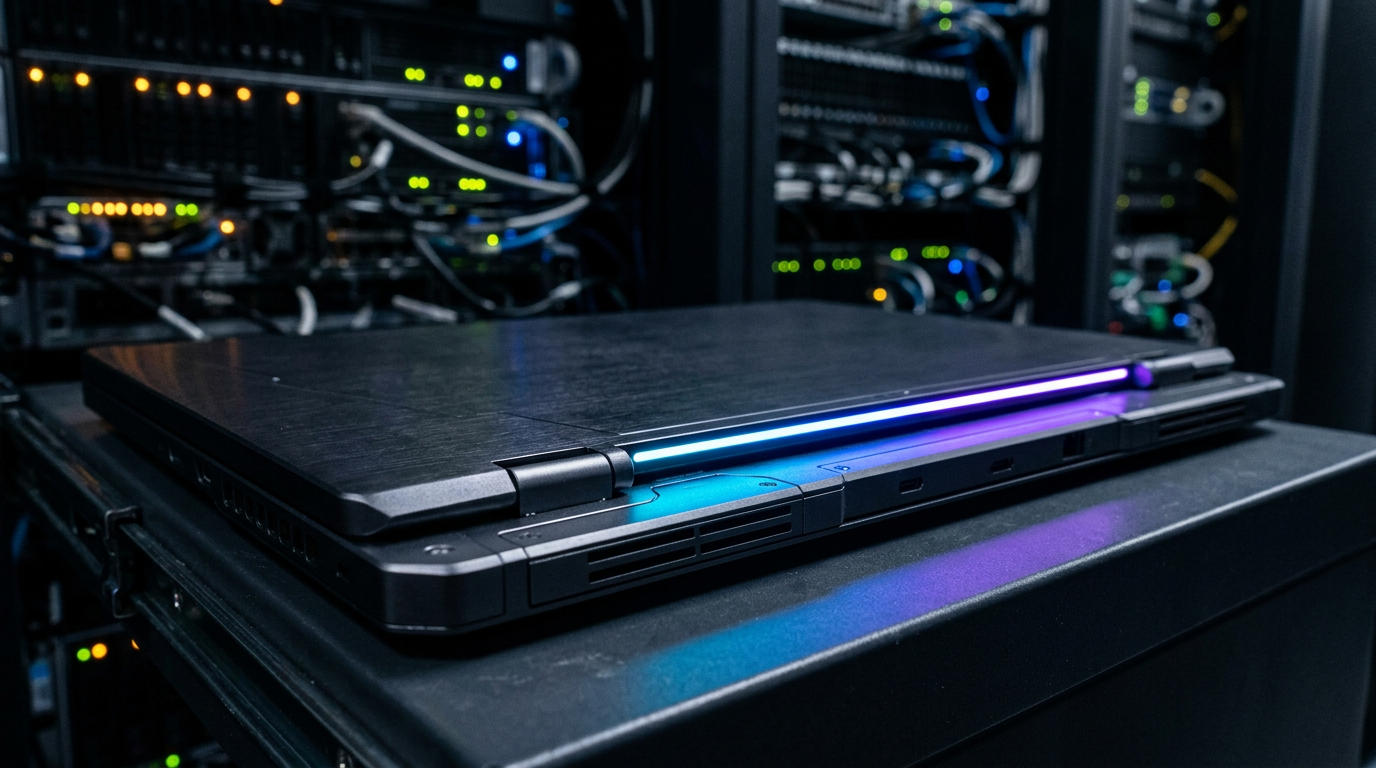
Then there is the “Glowbar.” Situated at the bottom of the top lid, this embedded LED strip is a hardware manifestation of artificial intelligence. While skeptics may dismiss it as mere RGB marketing fluff, the psychological impact of the Glowbar cannot be understated. As humans, we are conditioned to look for physical cues when interacting with intelligence. When you speak to Gemini, the Glowbar will react with specific animations—pulsing when it is “thinking,” flashing when it requires input, or glowing a specific color when it completes a task. This transforms the laptop from a cold, inanimate tool into a responsive, ambient entity. It bridges the gap between software and hardware, making the AI feel present in the physical room.
However, this unprecedented level of convenience comes with a steep cost: privacy. As one forum commenter aptly noted, the Googlebook risks becoming “Spybook 2.0.” For features like the Magic Pointer and context-aware widgets to function, the operating system must be granted omniscient access to your digital life. It must read your screen, parse your emails, track your location, and analyze your files. While Google will undoubtedly emphasize that much of this processing happens locally on the device’s NPU, the reality is that users are trading their behavioral data for algorithmic convenience. The consumer must decide if the magic of a self-organizing, AI-driven laptop is worth inviting an always-watching intelligence into every aspect of their personal computing experience.
The Industry Ripple Effect: Forcing the Hands of Microsoft and Apple
The introduction of the Googlebook is not happening in a vacuum; it is a calculated strike in the middle of the most aggressive platform war the tech industry has seen in a decade. The PC market is currently undergoing a massive transition toward ARM-based architecture and AI-centric computing, spearheaded by Microsoft’s Copilot+ PC initiative and Apple’s dominant M-series silicon. Google’s entry into this space with a unified Android desktop OS forces a massive recalibration across the entire supply chain.
Consider the position of the Original Equipment Manufacturers (OEMs)—Asus, Dell, HP, Lenovo, and Acer. For decades, these companies have been beholden to the Microsoft Windows monopoly. Recently, they have invested billions in redesigning their hardware to support Qualcomm’s Snapdragon X Elite chips for Windows on ARM. Now, Google is knocking on their door, offering a completely different, highly optimized, AI-native operating system that requires the exact same hardware. This gives OEMs unprecedented leverage. They can now dual-source their operating systems, pitting Microsoft and Google against each other to secure better licensing terms, co-marketing dollars, and software support. The Googlebook platform allows these hardware vendors to diversify their portfolios, offering premium Android laptops alongside their Windows counterparts.
For Microsoft, the Googlebook is a terrifying prospect. Windows has struggled for years to deeply integrate with mobile devices, relying on the “Phone Link” app to bridge the gap with Android. Google is now offering a native, seamless alternative. Furthermore, Microsoft’s Copilot AI, while powerful, is often criticized for feeling bolted onto legacy Windows architecture. Googlebook, built from the ground up on Android 17 with Gemini baked into the kernel, promises a much more cohesive AI experience. If Google can convince developers that Android is now a legitimate desktop platform, Microsoft risks losing its grip on the next generation of computing.
Apple, meanwhile, remains insulated within its walled garden, but it is not immune to the ripple effect. Apple’s macOS and iOS integration is the gold standard of the industry, but the company has stubbornly refused to merge the two operating systems, insisting that Mac and iPad serve different purposes. The Googlebook challenges this philosophy directly. By proving that a single, scalable mobile OS can power a premium laptop experience with deep AI integration, Google is offering a compelling alternative to users who feel constrained by Apple’s rigid product segmentation. The “MacBook Neo” rumors suggest Apple is aware of this threat, but Google’s speed in deploying Gemini across a vast OEM network could outpace Apple’s more measured rollout of Apple Intelligence.
TechNode HQ Verdict: Pros, Cons & Usability
- Pro (Engineering): The elimination of the ARCVM virtualization layer allows native, bare-metal access to the NPU, enabling zero-latency local AI inferencing and vastly superior memory management compared to legacy ChromeOS.
- Pro (Consumer): Generative UI and deep Android integration eliminate ecosystem fragmentation, allowing the laptop to dynamically build interfaces based on real-time context and natively access smartphone storage without cloud intermediaries.
- Con: The baseline hardware requirements for local Gemini processing will drastically increase the entry-level price point, destroying the sub-$300 budget market that Chromebooks previously dominated.
- Con: Enterprise deployment faces severe Data Loss Prevention (DLP) hurdles, as the seamless bridging of personal mobile storage and corporate desktop environments complicates Zero-Trust Network Access (ZTNA) policies.
Enterprise Usability: CTOs and IT Directors should halt any massive, long-term ChromeOS hardware renewals until the Googlebook platform is officially benchmarked. While the AI productivity gains are promising, the transition from Chrome Admin to Android Enterprise MDM for desktop fleets will require a complete overhaul of endpoint security policies. Begin piloting Android 17 desktop environments in isolated, low-risk departments to evaluate DLP compliance before committing to a fleet-wide migration.
Everyday Usability: For the general public, the Googlebook represents the most exciting laptop innovation in years, particularly for users already deeply entrenched in the Android smartphone ecosystem. However, early adopters should wait for the second generation of hardware. The first wave of OEMs will likely struggle to balance the battery demands of the “Magic Pointer” and local Gemini processing. If you value seamless phone-to-laptop integration over legacy Windows applications, this is the platform to watch—provided you are comfortable with Google’s omnipresent AI monitoring your daily workflows.
Sources & Citations:
Original Technical Breakdown via: tomshardware
Official Handle: @tomshardware
Topics Explored: Googlebook, Android 17, Gemini AI, ChromeOS, Enterprise Mobility