Key takeaways
- AI-integrated command centers like DECOKEE Quake streamline 2026 meeting workflows seamlessly.
- Smart power management enables precise desk-level energy tracking and task automation.
- Ergonomic lighting and devices directly impact and preserve your daily cognitive endurance.
- High-quality under-desk cable routing maintains completely distraction-free minimalist work environments.
- Investing in intelligent, networked hardware yields highly measurable remote productivity ROI.
The Architectural Reality of 2026 Smart Desk Devices

The definition of a home workspace has fundamentally evolved. In the era of agentic automation and pervasive connectivity, integrating 2026 smart desk devices is no longer just about superficial aesthetics or simple convenience—it is a critical investment in workflow efficiency, security, and cognitive endurance. Think of your desk not as a physical surface, but as a localized data center. Just as Kubernetes orchestrates complex server workloads to maximize cloud efficiency, these smart peripherals orchestrate environmental and computational variables to maximize human output. Every peripheral, from lighting to power delivery, is now a networked node designed to reduce friction and automate routine tasks that previously consumed valuable mental bandwidth.
Modern remote professionals require hardware that goes beyond passive utility. Innovations in Hardware & Silicon have paved the way for command centers that actively manage your environment. For instance, high-quality cable management boxes and under-desk routing systems are now vital for maintaining a minimalist, distraction-free environment. A clean desk directly correlates with reduced cognitive load. To power these setups efficiently, the Anker 8-in-1 docking stations have become an essential backbone. They simplify complex multi-monitor setups with single-cable solutions that handle dual displays, high-speed Ethernet connectivity, and rapid device charging simultaneously. The most effective accessories in today’s market are those that remove friction seamlessly rather than adding unnecessary technological clutter to the desk space.
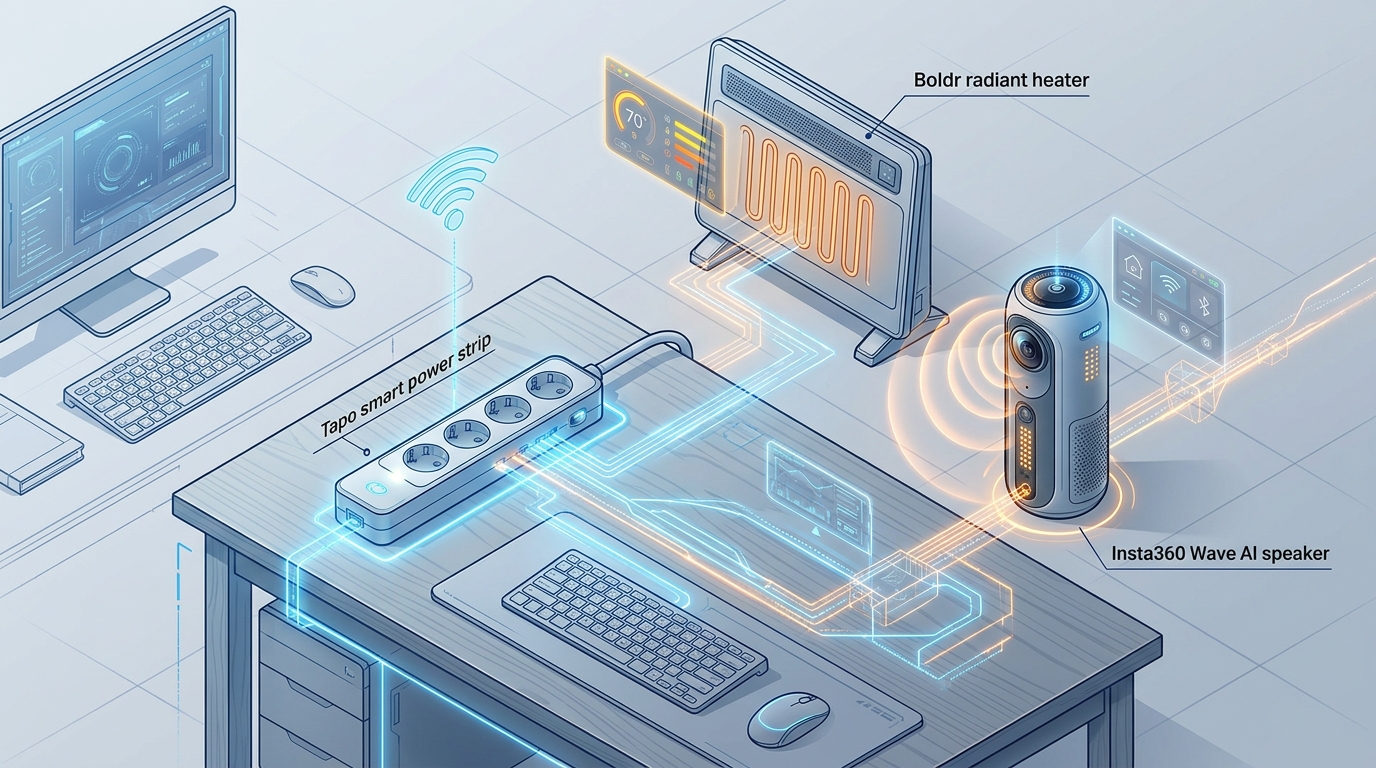
Furthermore, intelligent power management has evolved from a luxury to an absolute prerequisite for the power-user. Devices like the Tapo smart power strips allow you to explicitly name, remotely control, and track energy usage for individual devices via centralized platforms like Google Home or Apple Home. By integrating these hubs, users gain granular telemetry over their workspace power consumption. This is exceptionally useful for isolating which peripherals are quietly drawing phantom power and effectively lowering the Total Cost of Ownership (TCO) for heavy multi-monitor, high-performance setups. Smart surge protectors act as the defensive perimeter, shielding expensive computational assets from grid instability while simultaneously reporting real-time diagnostic data to the user’s dashboard.
The integration of thermal management has also seen a sophisticated upgrade. Advanced devices, such as the Boldr smart radiant heater, emphasize exactly how far home office tech has come. While traditional space heaters are notorious for being fire hazards and immense energy hogs, modern smart radiant solutions use significantly less electricity. They can be mounted on the wall to fit perfectly near a desk without demanding precious floor space. Crucially, app-based scheduling ensures that the office environment is precisely pre-heated before the workday begins and safely powered down once the user logs off, illustrating a seamless blend of comfort and safety.
Market Impact and Deployment
The market for workspace optimization has shifted heavily toward automation and precise physical control, directly impacting Enterprise IT provisioning strategies globally. Top-tier organizations realize that outfitting remote employees with optimal, cutting-edge gear yields a measurable return on investment. This ROI manifests in the form of sustained focus, reduced employee burnout, and heightened security compliance. When the home office matches or exceeds the technical capabilities of a traditional corporate headquarters, distributed teams can operate with unprecedented efficiency.
One of the most profound shifts is the transition where new AI-integrated hardware is replacing software-only solutions. Dedicated physical devices offer lower latency and isolated processing power. For example, the Insta360 Wave operates as an AI speaker used explicitly for recording and summarizing meetings locally. Instead of relying solely on cloud-based transcription bots that might pose data sovereignty risks, hardware like the Wave processes audio efficiently at the edge. Similarly, the DECOKEE Quake is an AI command center trending heavily among professionals who need to aggressively streamline meeting workflows. These devices interface directly with enterprise communication stacks, offloading the processing burden from primary computing hardware, minimizing context switching, and ensuring that users remain focused on the discussion rather than the software interface.
At the tactical level, workflow acceleration is increasingly driven by highly customizable physical interfaces. The Logitech MX Creative Console represents the pinnacle of this trend. It includes programmable LCD keys and an intuitive control dial designed for quick access to complex shortcuts in creative and engineering software. When combined with the universally recommended Logitech MX Keys Mechanical Keyboard—renowned for its typing efficiency and tactile feedback—these devices save developers and creators hundreds of micro-interactions per day. Over the course of a fiscal year, the cumulative time saved translates to massive productivity gains, effectively paying for the hardware upgrade multiple times over.
The secondary market effect of these devices extends beyond just the immediate users. Furniture manufacturers are being forced to adapt, designing desks with integrated modular rails for mounting devices like the Magic Arms and MagSafe phone stands, which are now essential for content creators and executives to position cameras precisely for high-stakes video conferences. The modern desk is an active participant in the digital workflow, featuring built-in power delivery, integrated cable channels, and IoT-ready sensor mounting points. Companies that fail to adapt their hardware offerings to this interconnected paradigm are rapidly losing relevance.
The Consumer Translation
How does this highly technical shift impact the everyday professional navigating the complexities of remote work? Ultimately, the goal of these innovations is holistic well-being and sustained concentration. The boundary between AI & Machine Learning automation and physical comfort is rapidly disappearing, creating an environment that actively works to sustain human energy rather than drain it.
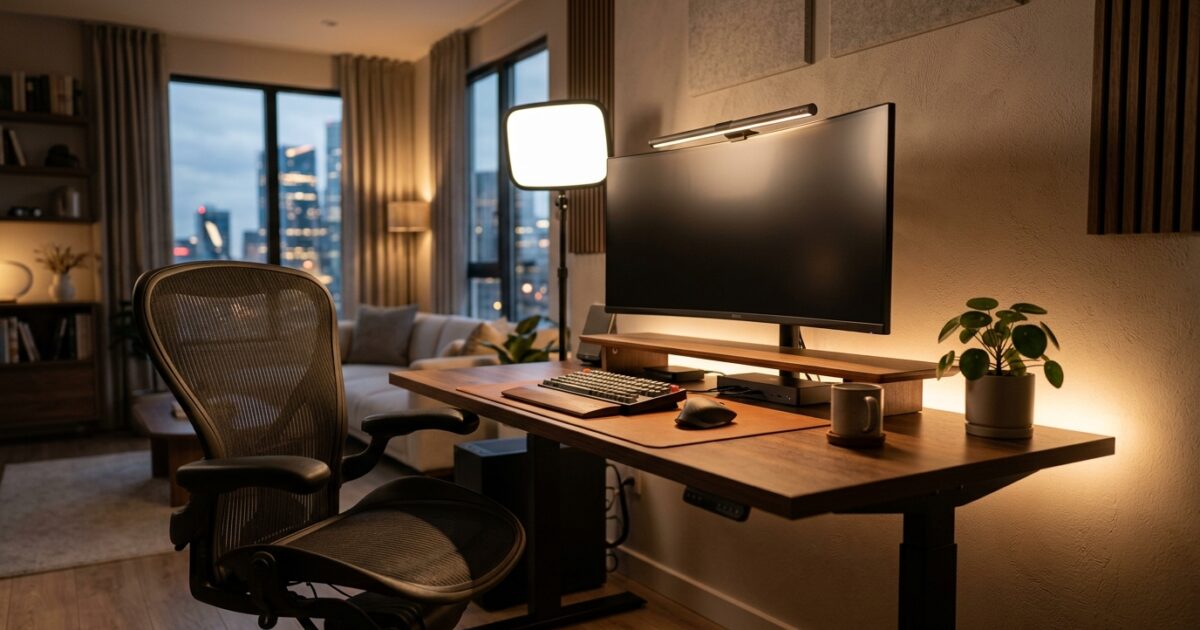
Consider the environment’s direct impact on focus and ocular health. Monitor light bars, such as the highly-rated Quntis, are top choices for reducing eye strain during long coding sessions or late-night analysis. By casting light downward onto the desk surface rather than glaring into the user’s eyes, they eliminate screen reflection entirely. Similarly, the Elgato Key Light continues to be a top choice for providing optimal, studio-quality lighting for video calls without cluttering the desk with bulky softboxes. Proper lighting not only ensures a professional appearance but significantly mitigates the physical fatigue associated with poor illumination.
When it comes to pacing and mental stamina, technology is stepping in to enforce boundaries. The OORAII Rotating Pomodoro Timer is heavily favored for effective time blocking, physically enforcing healthy work-rest intervals. By making time management a tactile, physical interaction rather than another digital notification on a crowded screen, users report significantly higher adherence to focus routines. Even minor annoyances are being engineered out of the daily routine to preserve momentum. The Ember Mug 2 is frequently cited as an absolute essential for maintaining the perfect beverage temperature during long work sessions, preventing the distraction of a cold coffee. Meanwhile, the Odistar Desktop Vacuum serves as a popular, affordable tool for keeping keyboards and workspaces impeccably free of crumbs and dust. Every possible friction point in the home office is being methodically solved, allowing the consumer to experience a fluid, uninterrupted state of flow.
Beyond productivity, ergonomic considerations remain paramount. The Logitech Lift Vertical Mouse is a standard recommendation for improving wrist comfort and preventing the long-term repetitive strain injuries that plague remote workers. By aligning the arm in a more natural “handshake” position, it reduces muscular tension. When consumers combine these ergonomic, lighting, and time-management tools, they create a personalized, optimized habitat that rivals the most advanced corporate offices of the previous decade.
Frequently Asked Questions
Q1: What are the best 2026 smart desk devices for productivity?
A1: Top picks include the Logitech MX Creative Console for workflow shortcuts, the DECOKEE Quake AI command center, and the OORAII Rotating Pomodoro Timer for time blocking. These devices eliminate friction and automate repetitive tasks.
Q2: How do smart power strips improve home offices?
A2: Smart power strips like the Tapo let you name, remotely control, and monitor energy consumption for individual desk peripherals. This is crucial for managing the power load of multiple devices and tracking energy costs over time.
Q3: Are AI meeting speakers worth the investment?
A3: Yes, devices like the Insta360 Wave act as dedicated hardware for recording and summarizing meetings. They offload computational and cognitive load from your primary workstation, allowing for better focus during calls.
Q4: Why are monitor light bars recommended over traditional desk lamps?
A4: Monitor light bars like the Quntis are designed to illuminate the desk surface without causing glare on the screen or shining directly into the user’s eyes. This drastically reduces eye strain during prolonged screen exposure.
Q5: How can remote workers improve their video call setup efficiently?
A5: Utilizing an Elgato Key Light provides professional, adjustable illumination, while Magic Arms and MagSafe phone stands allow for precise, secure positioning of secondary cameras without consuming valuable desk space.
TechNode HQ Verdict: Pros, Cons & Usability
- Pro (Engineering): Automated power telemetry and shortcut macro execution drastically reduce daily micro-frictions and hardware wear.
- Pro (Consumer): Ergonomic lighting and temperature-controlled accessories directly improve physical comfort, ocular health, and long-term endurance.
- Con: Devices like the Boldr radiant heater carry a high upfront cost ($400) that delays ROI purely on energy savings.
- Con: Adding multiple networked IoT devices increases the complexity of home network security and potential vulnerability for enterprise workers.
Enterprise Usability: CTOs and IT leaders should standardize remote work stipends to include AI command centers (like the DECOKEE Quake) and smart docking stations (like the Anker 8-in-1). By ensuring that off-site talent has reliable, high-performance, and secure environments, enterprises can significantly reduce technical support tickets and maximize daily output.
Everyday Usability: The public should prioritize foundational upgrades that directly impact physical health and daily convenience—such as Quntis monitor light bars, a Logitech Lift Vertical Mouse for wrist comfort, and Tapo power strips. Once the basics of ergonomics and power management are secured, users can then justify investing in higher-end AI peripherals and dedicated command centers.