Key takeaways
- Apple Watch Running Features utilize advanced edge computing to process granular IMU telemetry locally on the wrist.
- Custom workouts and the Pacer module replace disparate coaching tools with a unified, real-time algorithmic interface.
- Advanced metrics like Running Power and Vertical Oscillation democratize elite, laboratory-grade biomechanical analysis.
- Apple Intelligence drives the new Workout Buddy, processing historical health data for highly contextual audio feedback.
- Strict sensor calibration and accurate HealthKit integrations remain critical for precision fitness metric calculations.
Apple Watch Running Features: The Architectural Reality
The modern wearable device has fundamentally shifted from a passive notification conduit into a sophisticated edge-computing node for the human body. When evaluating the latest Apple Watch running features, we are essentially analyzing a high-density sensor fusion stack that processes raw biometric telemetry in real-time. Beneath the polished glass and titanium exterior lies an intricate architecture of accelerometers, gyroscopes, and optical heart sensors that continuously sample physiological data at staggering rates. This is not merely a pedometer; it is a localized telemetry server strapped to the wrist.
The core of this transformation relies on advanced hardware silicon, specifically the Apple S-series System in Package (SiP), which enables low-latency processing of custom workout algorithms. You can create structured interval or threshold workouts in the Fitness app on your iPhone, building highly specific segments based on time, distance, or heart rate zones. These custom workouts sync directly to your watch, which acts as a localized edge controller to guide you with precise haptic alerts when it’s time to transition between work and recovery periods. By offloading the cognitive burden of interval management to the device, athletes can maintain absolute focus on their physical execution rather than mental arithmetic.
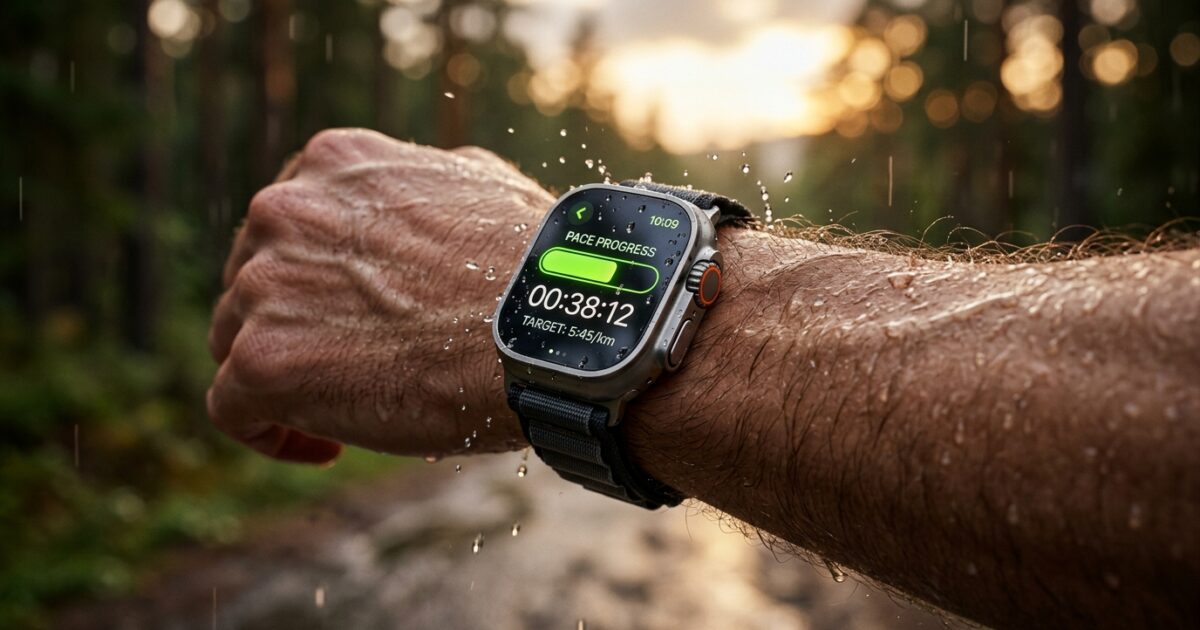
Furthermore, the integration of Heart Rate Zones allows runners to train at specific intensities tailored for endurance versus anaerobic workouts. The watch leverages its optical heart sensor to continuously sample blood flow, dynamically categorizing your cardiovascular output. For race day execution, the Pacer feature is available in the Workout app by tapping the timer icon on the Outdoor Run workout, allowing you to enter your goal distance and time. When using Pacer, the Apple Watch displays a real-time progress bar showing if you are ahead or behind your target pace. A red indicator means you are falling behind, a green indicator signifies you are moving faster than your target, and the center serves as the optimal sweet spot.
To fully grasp the magnitude of this technology, consider an executive abstraction: think of the Apple Watch’s running ecosystem as a specialized edge-computing Content Delivery Network (CDN) for human biometrics. Just as a CDN ingests raw data, processes it locally to avoid network latency, and orchestrates complex delivery sequences based on shifting conditions, the Apple Watch ingests biomechanical data, bypasses the need for a persistent cloud connection, and delivers real-time coaching directly to the end-user.
Biometric Telemetry and Market Impact
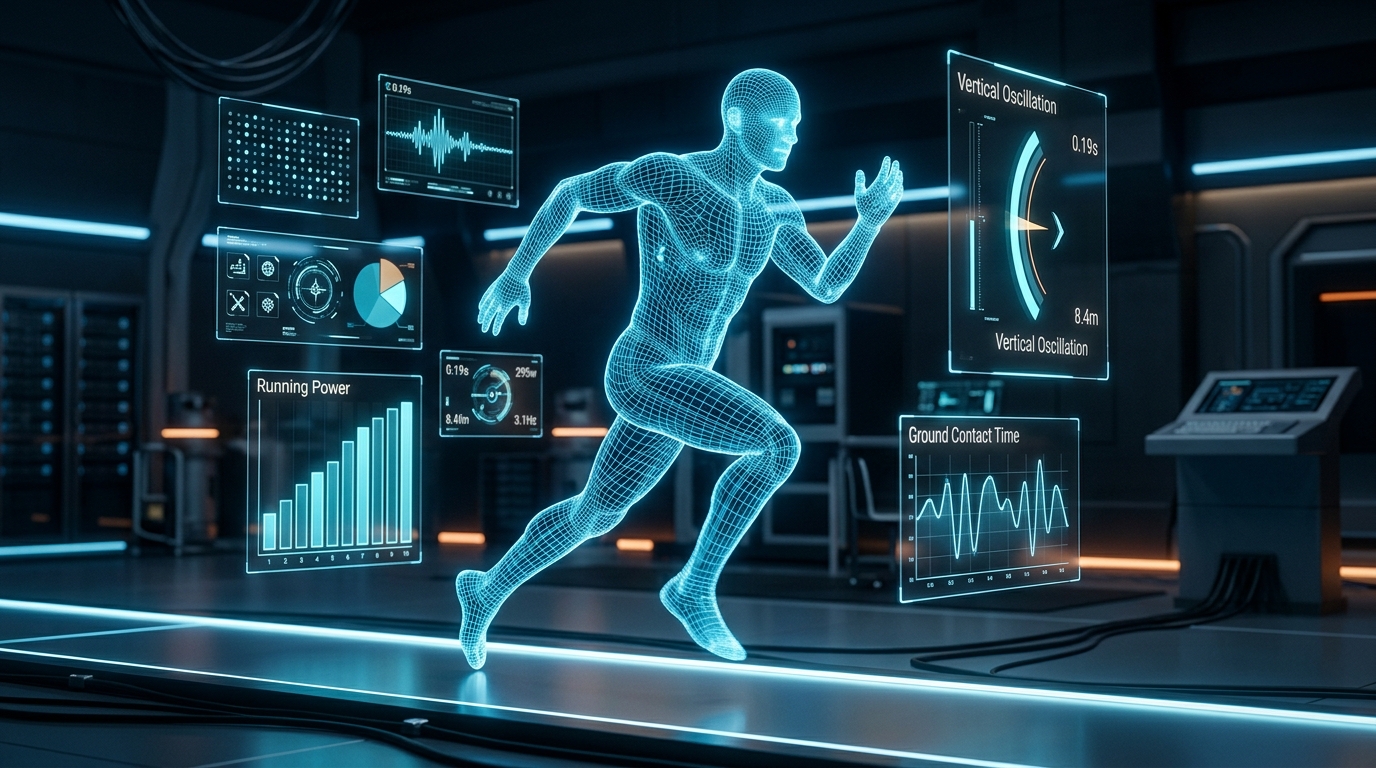
From an enterprise and professional athletic standpoint, the democratization of biomechanical data represents a massive disruption to traditional training methodologies and significantly lowers the Total Cost of Ownership (TCO) for sports analytics. Historically, acquiring actionable data on running efficiency required expensive laboratory setups, specialized pressure-plate treadmills, and dedicated coaching staff analyzing high-speed video footage. Today, the Apple Watch calculates Running Form Metrics on the fly. These metrics provide profound insights into running efficiency by measuring vertical oscillation, ground contact time, and stride length.
Vertical oscillation (the amount your torso bounces vertically with each step) and ground contact time (the millisecond duration your foot spends touching the ground) are among the advanced metrics that help runners analyze their running form efficiency with laboratory-grade precision. By minimizing vertical oscillation, runners waste less energy fighting gravity; by reducing ground contact time, they increase their cadence and forward velocity. Bringing these metrics to the wrist forces a paradigm shift in how professional organizations and amateur athletes alike approach endurance sports. Furthermore, users can customize their workout views during an Outdoor Run to see the specific data that matters most to their individualized training regime.
The introduction of Running Power fundamentally alters race strategy. Running Power is measured in watts and helps you manage your effort consistently regardless of changes in terrain or wind conditions. While pace can be a deceptive metric on a steep incline or facing a severe headwind, power represents the absolute mechanical work the body is outputting. This allows runners to maintain a steady physiological output over undulating marathon courses without crossing their anaerobic threshold prematurely. The underlying algorithms combine GPS data, barometric altimeter readings, and accelerometer data to estimate this wattage in real time.
However, the efficacy of this biometric telemetry is entirely dependent on strict baseline parameters. Inaccurate personal data in the Health app directly affects the watch’s ability to accurately calculate calories and fitness metrics. Keeping personal data like height, weight, and age updated in the Health app is absolutely necessary for the accurate calculation of calories and fitness levels. Furthermore, to calibrate your Apple Watch for better accuracy, you should perform a 20-minute outdoor run or walk on flat, open ground at your normal pace. This calibration synchronizes the internal accelerometer’s stride predictions with actual GPS distance, ensuring that when GPS signal degrades (such as in urban canyons or dense forests), the watch can confidently dead-reckon your pace.
Edge AI Coaching and Ultra Exclusives
The frontier of wearable technology is rapidly integrating generative artificial intelligence frameworks to synthesize raw data into actionable, contextual insights. This is most evident in the introduction of Workout Buddy, an AI-powered voice companion explicitly designed to replace generic coaching prompts. If you have an Apple Intelligence-compatible iPhone (iPhone 15 Pro or later) paired with an Apple Watch running watchOS 26, you will be able to utilize this feature. Workout Buddy utilizes your extensive workout history, historical pacing data, heart rate variability, and overarching fitness metrics to deliver highly personalized encouragement during your run. Instead of a robotic “mile 3 completed,” it can dynamically state, “This is your fastest mile yet,” or remind you that you have successfully reached a 40-mile monthly milestone. With upcoming updates like watchOS 27, this edge AI capability will expand to include multi-language support, beginning with Spanish.
For athletes demanding the absolute pinnacle of hardware resilience, the Apple Watch Ultra series (including the latest Ultra 3) introduces several hardware-exclusive capabilities that cater specifically to extreme endurance events. The Precision Start feature solves a critical pain point for race-day runners. Traditionally, starting a workout initiates a rigid three-second countdown, which can cause athletes to miss the exact crossing of a starting mat while waiting for GPS lock. Turning on Precision Start in the watch’s settings bypasses this delay; the timer starts immediately upon pressing the action button. While the device may not have locked onto GPS instantly, users receive clear visual confirmation when the compass icon in the upper-left corner turns blue, indicating absolute satellite lock.
The hardware architecture of the Ultra also heavily emphasizes tactile operability, acknowledging that touchscreens are inherently flawed during intense physical exertion. If you want to get into a run even faster, you can assign the physical Action Button to launch your favorite workout. By navigating to Settings, you can configure a first press to instantly initiate an Outdoor Run, or even launch one of the Custom Workouts you previously built. Additionally, the Quick Pause Shortcut allows users to instantly pause and resume a workout by pressing any two physical buttons at the same time—eliminating the need for sweaty screen swiping at a traffic light or aid station.
Environmental factors also dictate operational capability. Turning on Water Lock during a run in the rain or heavy sweating prevents phantom screen touches and accidental workout pauses, locking the capacitive display while allowing background algorithms to continue tracking seamlessly. For navigational efficiency through the watch’s user interface, you can instantly scroll back to the top of any menu in the Workout or Settings apps by simply tapping the time at the top of the screen. Furthermore, when near a standard 400-meter oval track, the Apple Watch automatically detects the track and prompts you to start a specialized track workout, snapping your GPS route to the exact lane you are running in for unparalleled distance accuracy.
The Consumer Translation
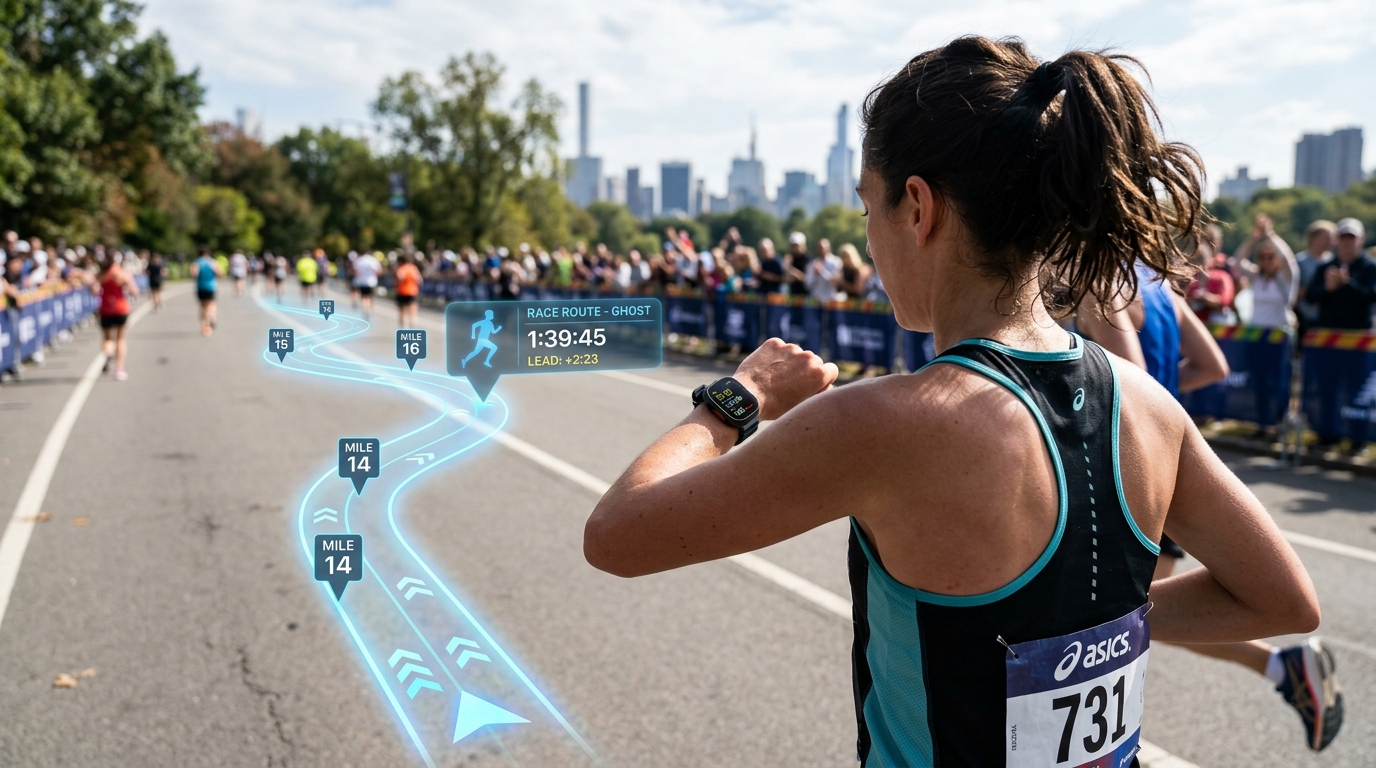
The deployment of these highly advanced features disrupts the broader consumer tech ecosystem by establishing a new baseline for what the public expects from a wearable device. For the everyday runner preparing for a local 5K or a grueling event like the San Francisco Marathon, the Apple Watch effectively democratizes elite sports science. The cognitive load of pacing, interval timing, and route tracking is entirely abstracted away. Features like Race Route, which allows you to race against your last or best time on a specific route you regularly run, gamify the training experience by creating a localized ghost competitor. This leverages intrinsic motivation loops, turning mundane neighborhood jogs into competitive athletic benchmarks.
However, a rigorous red-team audit of these features reveals inherent physical limitations that consumers must be aware of. While the Apple Watch’s optical heart rate sensor is arguably the best in the wrist-wearable class, it remains susceptible to ‘cadence lock’—a phenomenon where the sensor misinterprets the rhythmic bouncing of running steps as cardiac pulses, especially in cold weather when peripheral blood flow is reduced. For absolute precision during Heart Rate Zone training, elite athletes should still pair the watch with a dedicated Bluetooth chest strap electrocardiogram (ECG) monitor. Additionally, while the Apple Watch Ultra boasts exceptional battery life, standard Apple Watch models may struggle to maintain continuous GPS polling and biometric processing during marathons exceeding the four-to-five-hour mark.
Ultimately, the fusion of Custom Workouts, real-time Pacer algorithms, Running Power metrics, and the advent of Apple Intelligence via Workout Buddy solidifies the Apple Watch as a formidable training apparatus. It bridges the gap between raw hardware telemetry and actionable human performance, allowing anyone to optimize their stride, manage their cardiovascular output, and execute race day with precision.
Frequently Asked Questions
Q1: How do I create structured intervals on my Apple Watch?
A1: You can create structured interval or threshold workouts in the Fitness app on your iPhone, building segments based on time, distance, or heart rate zones. These custom workouts sync directly to your watch, which will guide you with haptic alerts when it’s time to transition between work and recovery periods.
Q2: What is the Pacer feature and how does it work?
A2: The Pacer feature is available in the Workout app by tapping the timer icon on the Outdoor Run workout, allowing you to enter your goal distance and time. The Apple Watch then displays a real-time progress bar showing if you are ahead or behind your target pace.
Q3: How does the Apple Watch measure running efficiency?
A3: Running Form Metrics provide insights into your running efficiency by measuring vertical oscillation, ground contact time, and stride length. These advanced metrics help runners analyze their biomechanical form without needing a dedicated sports laboratory.
Q4: What is Running Power?
A4: Running Power is measured in watts and helps you manage your effort consistently regardless of changes in terrain or wind conditions. This allows athletes to maintain a steady output during undulating courses.
Q5: How can I ensure my Apple Watch metrics are accurate?
A5: To calibrate your Apple Watch for better accuracy, you should perform a 20-minute outdoor run or walk on flat, open ground at your normal pace. Furthermore, keeping personal data like height, weight, and age updated in the Health app is necessary for the accurate calculation of calories and fitness levels.
TechNode HQ Verdict: Pros, Cons & Usability
- Pro (Engineering): Localized edge-processing of complex IMU sensor fusion allows for real-time calculation of Vertical Oscillation and Running Power without cloud latency.
- Pro (Consumer): Custom Workouts and Pacer visualizations completely offload the cognitive burden of interval training and pacing arithmetic.
- Con: Optical wrist-based heart rate sensors remain susceptible to cadence lock and environmental factors during rigorous high-intensity anaerobic intervals.
- Con: Standard non-Ultra models may experience battery anxiety when processing continuous advanced telemetry during multi-hour marathon events.
Enterprise Usability: CTOs in the healthcare and sports analytics sectors should rapidly adopt the HealthKit API to ingest these advanced Running Form Metrics. Deploying Apple Watches across a team provides a highly scalable, low-TCO alternative to dedicated biomechanical laboratory testing.
Everyday Usability: Consumers actively training for endurance events should absolutely utilize Custom Workouts, Running Power, and Pacer. The Apple Watch has matured into a definitive coaching tool that justifies the hardware investment for runners of all skill levels.